Censor swearing in stream clips and highlights
The best moments are the loudest. Bleep them, blur the facecam, post them anywhere.
Clips are where the words travel
A stream is hours long and mostly forgotten. The clip is the part that goes everywhere: Shorts, TikTok, Reels, a Discord, a sponsor's deck. The best clips are also the loudest moments, which is why so many of them have a swear in the first three seconds. On the stream that was fine; on a Short it is a limited-ads flag, on TikTok it is a recommendation risk, and for a clipping campaign it can fail the brief outright.
Clipping has become a job. Creators and brands pay clippers per view through campaign platforms, and nearly every brief asks for clean, brand-safe clips. The volume is the problem: a clipper might cut twenty clips a day across three streamers, and censoring each one by hand (find the word, split, mute, drop a sound, mask the mouth, keyframe it) takes longer than the cut itself.
Redactify fits between the cut and the captions. Export the clip, upload it (Bulk upload on Pro and Premium queues a batch), pick the preset for where it is going, and download. Captions you add afterwards are made from the clean audio, so the word does not come back as text. Vertical layouts with facecam on top and gameplay below work as they are: the blur follows the streamer's mouth and nothing else in the frame is touched. One thing clipping someone else's stream does not change: blurring their mouth uses their face, so you need their permission (see the Video Processing Terms). Bleeping alone uses no face data.
Clips by the batch
Bulk upload (Pro) queues a whole batch. Each result comes with a list you can check in seconds.
Facecam on top, gameplay below
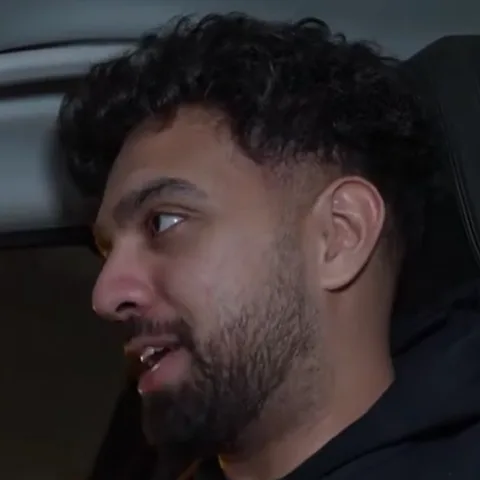
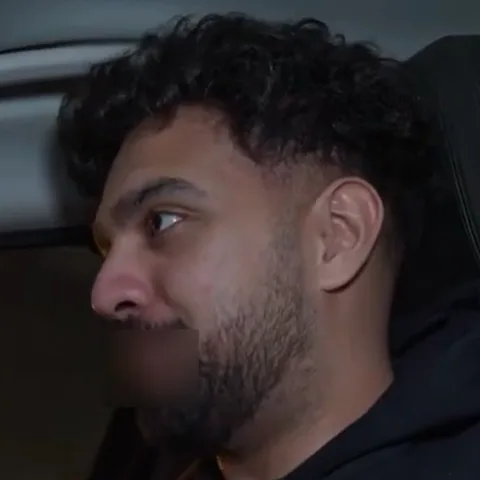
Facecam on top, gameplay below. Only the streamer's mouth is blurred, and only while the word is said.
One preset per destination
Shorts, Reels or TikTok: pick where it's going and the categories follow.
Questions
Last updated
Does it work on vertical 9:16 clips?
Yes. Any aspect ratio works, and the clip comes back at the resolution and frame rate you uploaded.
Should I censor before or after adding captions?
Before. Captions generated from the clean audio never contain the word. If you caption first, the swear is in the text too.
Can I blur a streamer I clip but don't know?
Mouth blur identifies the speaker by their face, so you need their permission to use it on someone else, as set out in the Video Processing Terms. Bleeping or muting on its own does not use faces and does not need it.
Can I process many clips at once?
Yes. Bulk upload is included on Pro and Premium.
How long does a 30-second clip take?
Short clips are quick. Processing time scales with the length of the file, and credits are charged by the minute.
Is Redactify free?
You can try it free: new accounts get 30 credits, no card needed. Audio costs 1 credit a minute and video with mouth blur costs 2. Pro is $5/month for 75 credits, Premium $20/month for 350, or top up at $0.10 a credit.
Redactify, or be [redacted]
30 free credits on sign-up. No card needed.
Try it free