Censor swear words in TikTok videos
Upload the clip, choose TikTok Safe, and post it with every swear bleeped and the mouth blurred.
Three layers of TikTok rules
Swearing on TikTok is not banned, but it is handled by three different systems. The Community Guidelines are the hard rules: slurs and hateful language break them and get removed. Below that sit the For You feed eligibility standards, which decide what is eligible to be recommended at all, and under those, advertiser suitability, which decides whether a video is safe enough to sit next to brand content. A clip can be allowed, and ineligible for the For You feed, and unsellable to a sponsor, all at once.
Language mostly bites in the lower two layers, and it does so quietly: nothing is removed, the clip just reaches fewer people, and a brand will not touch it. TikTok also scans audio, and its own captions transcribe what is said, so a swear on a trending sound is captioned as well as heard.
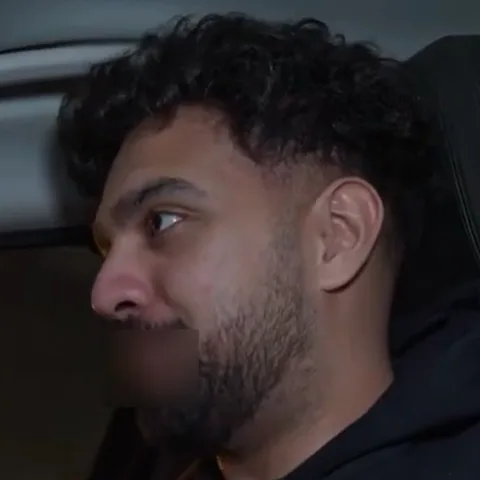
Two things are specific to the format. TikTok is vertical and close: a face often fills the frame, so a bleeped word here is the easiest word on any platform to lip-read, and the mouth blur matters more than anywhere else. And creators swap words on TikTok that are fine elsewhere, which is what the TikTok Safe preset's extras category covers alongside the usual ones. Upload the finished clip, CapCut exports included, and the captions TikTok generates afterwards are made from the clean audio.
Blur the mouth too
Vertical and close-up, the mouth is the biggest thing in the frame. The blur covers it for each censored word.
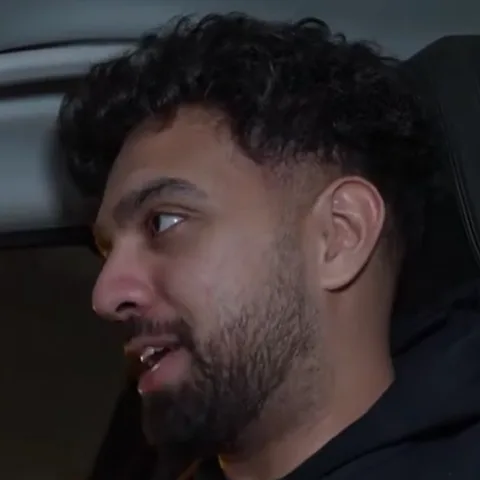
Already edited in CapCut?
Export as usual, upload the MP4, post the clean version you get back. Captions added afterwards come from the clean audio.
00:42no way he just did that
03:17okay that was brilliant
07:55chat, I am not doing that again
12:08what the was that
Bleep, silence or your own sound
A bleep reads as comedy, a mute reads as clean. On a clip with a sound under it, both replace that beat of the mix.
Questions
Last updated
Does TikTok ban swearing?
Not outright. Everyday profanity is common, but slurs and hateful language break the Community Guidelines, and content can be limited in recommendations depending on context.
Will TikTok's auto captions show the swear?
Not if you upload the censored clip. Captions are generated from the audio TikTok receives, and the word is no longer in it. A bleep usually appears as a gap or a [bleep]; a mute as nothing.
What does TikTok Safe catch?
Common swearing, slurs, sexual content, violence, sensitive topics, drugs and TikTok-specific extras. Change any of them before you start.
Can I censor a video that uses a trending sound?
Yes. The censor applies to the whole mix, so a swear in the sound is caught too. For that fraction of a second the sound itself is replaced, which is usually what you want.
Does it work on 9:16 video?
Yes. Any aspect ratio and any length from a few seconds to 8 hours.
Is the quality reduced?
Redactify returns a full-quality version of your file. TikTok compresses whatever you upload, as it would the original.
Is Redactify free?
You can try it free: new accounts get 30 credits, no card needed. Audio costs 1 credit a minute and video with mouth blur costs 2. Pro is $5/month for 75 credits, Premium $20/month for 350, or top up at $0.10 a credit.
Redactify, or be [redacted]
30 free credits on sign-up. No card needed.
Try it free