Bleep swear words in Twitch VODs, automatically
Upload a finished VOD. Redactify bleeps every swear and blurs your mouth on facecam, ready for YouTube. Recorded streams only, not live.
What a VOD needs before it leaves Twitch
On Twitch, everyday swearing is allowed under Twitch's Community Guidelines. The problem starts when the recording goes somewhere else. The same two hours that were fine live can get limited ads on YouTube, drop out of TikTok's recommendations, or fail a sponsor's brand-safety check, and all of it comes from a few dozen words scattered through the file.
The file itself is awkward to clean by hand. A VOD has your mic, game audio, alerts and often a Discord call mixed into one track, so there is no swear-free stem to swap in. Scrubbing a multi-hour timeline by ear for every word takes longer than the stream did. And because your facecam is on screen the whole time, a bleep alone still leaves the word there to be lip-read.
Redactify works from the VOD you download from Twitch's Video Producer. It transcribes the whole file word by word, finds every swear in the categories you picked, lays a bleep (or a mute) over exactly those words, and blurs your mouth for the length of each one. Game audio, chat overlay, alerts and everything else are left as they were. Twitch only keeps past broadcasts for a limited time, longer on some plans (see Twitch's video on demand help page), so turn on Store past broadcasts before you go live and download the VOD soon after.
00:42no way he just did that
03:17okay that was brilliant
07:55chat, I am not doing that again
12:08what the was that
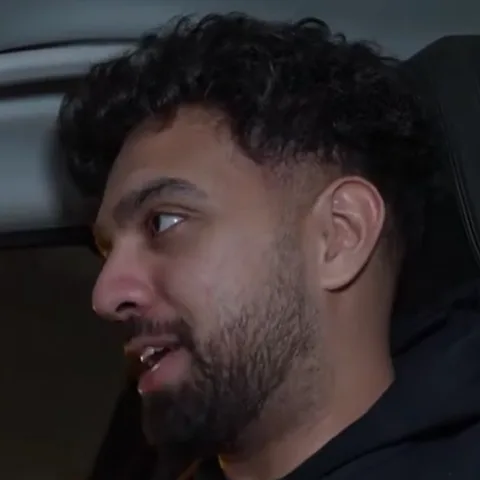
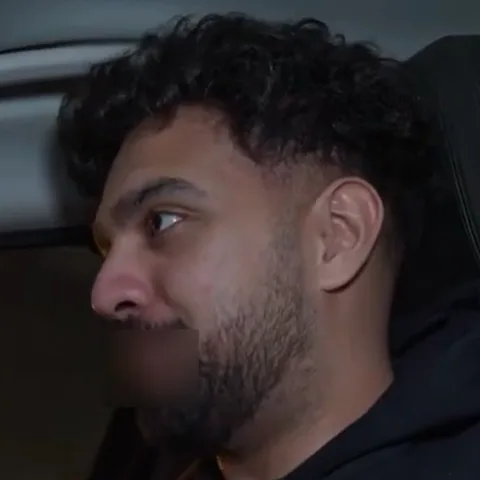
Blur your mouth on facecam
Your facecam is on screen for the whole stream. The blur covers your mouth for each censored word and nothing else.
Whole VODs, not snippets
A full broadcast is one upload, up to 8 hours. Download the VOD, upload it, come back to a clean file.
One click for where it's going
Posting to YouTube? YouTube Ad-Friendly. Cutting clips for TikTok? TikTok Safe. Each preset is a starting point you can change.
Questions
Last updated
Can I upload a full multi-hour VOD?
Yes. Files can be up to 8 hours long. Download the VOD from your Twitch dashboard, upload it, and Redactify processes the whole thing. File size limits are 500 MB on Free, 2 GB on Pro and 5 GB on Premium, so a long 1080p60 VOD may need trimming or a quick re-encode first.
How do I download a VOD from Twitch?
In the Creator Dashboard, open Content, then Video Producer. Each past broadcast has a Download option in its menu. Past broadcasts are only stored for a limited time, so turn on Store past broadcasts in your stream settings before you go live. Menu names change now and then; the help page above is current.
Does it blur my face or just my mouth?
Just the mouth, and only while a censored word is being said. The rest of your facecam is untouched.
What about my friends on Discord?
Their swearing is bleeped like yours. They are not on camera, so when the speaker list appears you mark them as voice only and there is nothing to blur.
Does it touch game audio, alerts or music?
Only during a censored word. Redactify works on the mixed track, so for the fraction of a second a swear lasts, everything in the mix is replaced by the bleep or the silence. Outside those moments the audio is exactly as you uploaded it.
What if it bleeps something I wanted to keep?
Every detection is listed with a timestamp before you download. Untick it, or mark it as a false positive, and it stays in.
Can I process a week of VODs at once?
Yes. Bulk upload is included on Pro and Premium.
Is Redactify free?
You can try it free: new accounts get 30 credits, no card needed. Audio costs 1 credit a minute and video with mouth blur costs 2. Pro is $5/month for 75 credits, Premium $20/month for 350, or top up at $0.10 a credit.
Redactify, or be [redacted]
30 free credits on sign-up. No card needed.
Try it free