Censor swearing in Kick VODs and clips
Stream however you like. Take the highlights everywhere else, bleeped and blurred.
Kick is relaxed. Everywhere after Kick is not.
Kick's Community Guidelines leave plenty of room for language, and a lot of the platform's culture is built on that. The catch is that almost nobody's audience lives on Kick alone. Growth comes from the clips and VODs that go to YouTube, TikTok and Instagram, and each of those applies its own rules to the same footage: limited ads for strong language on YouTube, reduced recommendation on TikTok and Reels, and a flat no from most sponsors.
Kick streams also tend to lean on the subjects other platforms are touchiest about. Gambling, drinking and edgy chat are part of the format, which is why Redactify's categories go beyond swearing: Sensitive topics and Drugs and substances are separate switches, so you can leave the stream as it was and still cut a version for a platform that cares.
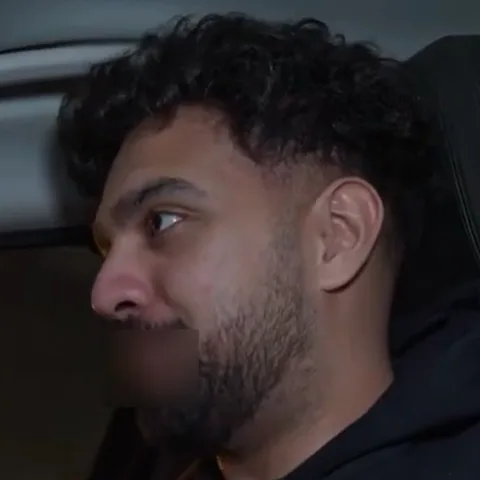
The workflow is the same as for Twitch. Download the VOD or the clip from your Kick creator dashboard, upload it, and pick the preset for where the video is going rather than where it came from: YouTube Ad-Friendly for a re-upload, TikTok Safe for a clip. There is no Kick preset because Kick is rarely the destination. Your facecam is blurred at the mouth for each censored word, chat overlays and alerts are untouched, and a full broadcast fits in one upload, up to 8 hours.
Blur the mouth too
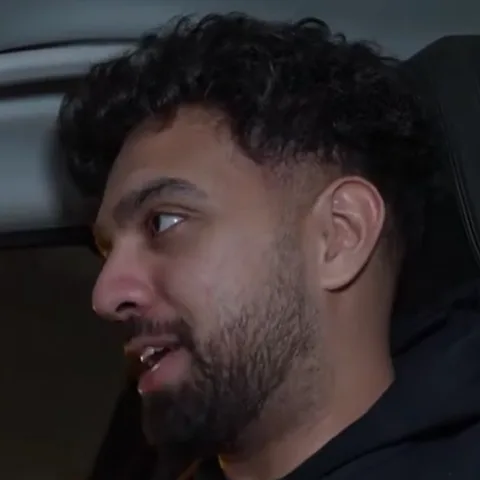
Facecam on, as always. The blur covers the mouth for each censored word and leaves the rest of the frame alone.
Categories, not just swearing
Sensitive topics and Drugs and substances are their own switches, for destinations that care about more than language.
Whole VODs, not snippets
A full Kick broadcast is one upload, up to 8 hours. Download the VOD from your dashboard and upload it as it is.
Questions
Last updated
Is there a Kick preset?
No. Presets are named for where the video is going, and Kick is usually where it came from. Use YouTube Ad-Friendly, TikTok Safe or Instagram Safe, or pick categories yourself.
Which preset should I use?
Use the preset for where the video is going, not where it came from. Re-uploading to YouTube? Use YouTube Ad-Friendly. Posting a clip to TikTok? Use TikTok Safe.
Can it catch gambling or drinking talk?
The Sensitive topics and Drugs and substances categories cover the common terms. Review the list afterwards, and on Pro add your own words if your stream has its own vocabulary.
Does it blur my whole face?
No, only the mouth, and only during a censored word. The rest of your face and the rest of the frame are left alone.
How long can my file be?
Up to 8 hours per file on every plan, so full stream VODs and long podcast episodes are fine. Credits are charged by the minute.
Is Redactify free?
You can try it free: new accounts get 30 credits, no card needed. Audio costs 1 credit a minute and video with mouth blur costs 2. Pro is $5/month for 75 credits, Premium $20/month for 350, or top up at $0.10 a credit.
Redactify, or be [redacted]
30 free credits on sign-up. No card needed.
Try it free