Bleep out swear words in a video, automatically
Upload the video, skip the timeline. Every swear is found and a bleep laid exactly over it. Files stay private and delete after 30 days.
How the bleep is made
A good bleep has three properties: it starts and ends with the word, it sits at the same loudness as the voice around it, and it does not stutter when two swears come together. Each is harder than it sounds on a timeline, which is why hand-made bleeps so often clip the word before or leave a tail of the swear behind.
Redactify starts from a word-level transcript of the whole file, so every swear has its own start and end time. The bleep is a 1 kHz tone, the standard broadcast pitch, and its level is set from the loudness of the speech around it rather than a fixed value, so it is neither a whisper under a shout nor a blast over a quiet interview. When two censored words fall within a fraction of a second of each other they are merged into one continuous bleep instead of two short ones, which is what you would do by hand.
Detection is by category rather than one big list: common swearing, light profanity, slurs, sexual content, religious terms, violence, sensitive topics, drugs, and TikTok extras, each on its own switch or bundled into a platform preset. Endings are handled, so a word is caught with -ing, -ed or -s on it, and multi-word phrases are matched as phrases. Pro accounts can add their own words to catch (names, in-jokes) and words never to catch. Nothing is cut from the file: the bleep replaces the word in place, so the video stays in sync and the same length.
00:42no way he just did that
03:17okay that was brilliant
07:55chat, I am not doing that again
12:08what the was that
Your words, your rules
On Pro, add words to catch (names, in-jokes) and words never to bleep. Endings like -s, -ing and -ed match too.
Bleep, silence or your own sound
Bleep is the default. Switch to silence for a quieter edit, or upload your own sound (Pro) and it is looped or trimmed to fit each word.
Blur the mouth too
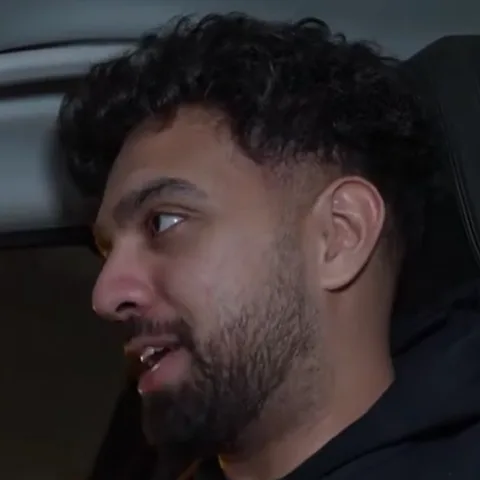
On camera, a bleep hides the sound and not the mouth. Turn on mouth blur and both go.

Questions
Last updated
Why is one bleep longer than the word?
Two censored words close together are merged into one bleep rather than two short ones, and a bleep covers the whole word including a drawn-out ending.
Can I change the bleep's volume or pitch?
The level is matched to the surrounding speech automatically, so there is no volume slider. For a different sound altogether, Pro accounts can upload a custom sound.
Can I bleep a word that isn't a swear?
Yes. On Pro, add it to a custom word list and it's caught like any other.
Does it catch swears inside other words?
The f-word is caught inside compounds and its -er and -ing forms. Other terms are matched as whole words or with common endings, so a longer word that merely contains a swear is left alone.
What categories can it catch?
Common swearing, light profanity, slurs, sexual content, religious, violence, sensitive topics, drugs and platform-specific extras.
Does the video get re-encoded?
No. Only the audio changes; the video stream is copied as it is, so quality and length are unchanged. With mouth blur on, only the frames inside each blur window are re-encoded.
Is Redactify free?
You can try it free: new accounts get 30 credits, no card needed. Audio costs 1 credit a minute and video with mouth blur costs 2. Pro is $5/month for 75 credits, Premium $20/month for 350, or top up at $0.10 a credit.
Redactify, or be [redacted]
30 free credits on sign-up. No card needed.
Try it free